
Already sorted
Overnight mail is in its lane before you sit down, each one carrying the reason it landed there. In the labelled set: fifty-three messages, four that interrupted you.
Klorn sorts every message into five lanes and puts the reason on each one — web, macOS and Windows. Superhuman sells speed. Fyxer writes the reply. Both are $30 a month, and neither shows you why. Klorn answers that question first, and sends nothing you have not approved.
Free, AGPLv3. The app signs in to your Klorn account — create one in about a minute. First-launch note ↗
Interrupts you now
Scheduling — checked against your calendar
Read it today
Receipts and confirmations — no reply expected
Filed, not deleted
An illustration of the five lanes, not a benchmark run. The measured numbers, and the lanes they do not yet cover, are below.
Live A working replica — click the tiers, the rows, reply, re-file. The screenshots further down are the shipping app itself.
Klorn sits in one native line at the top of your screen. Expanded, this is what it shows you — and everything you are allowed to change about it.
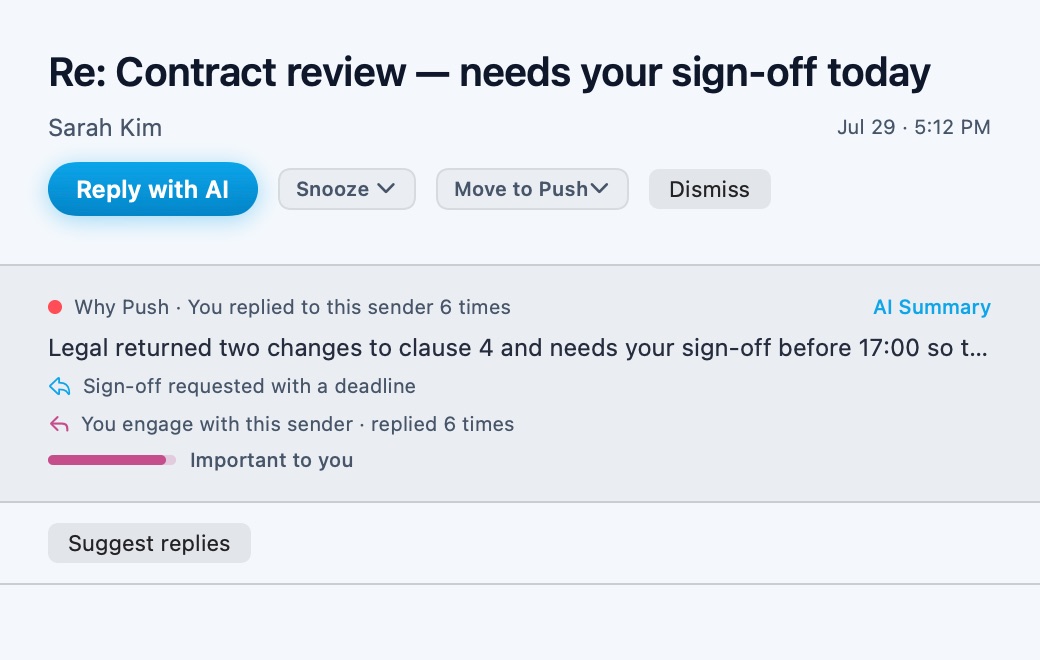
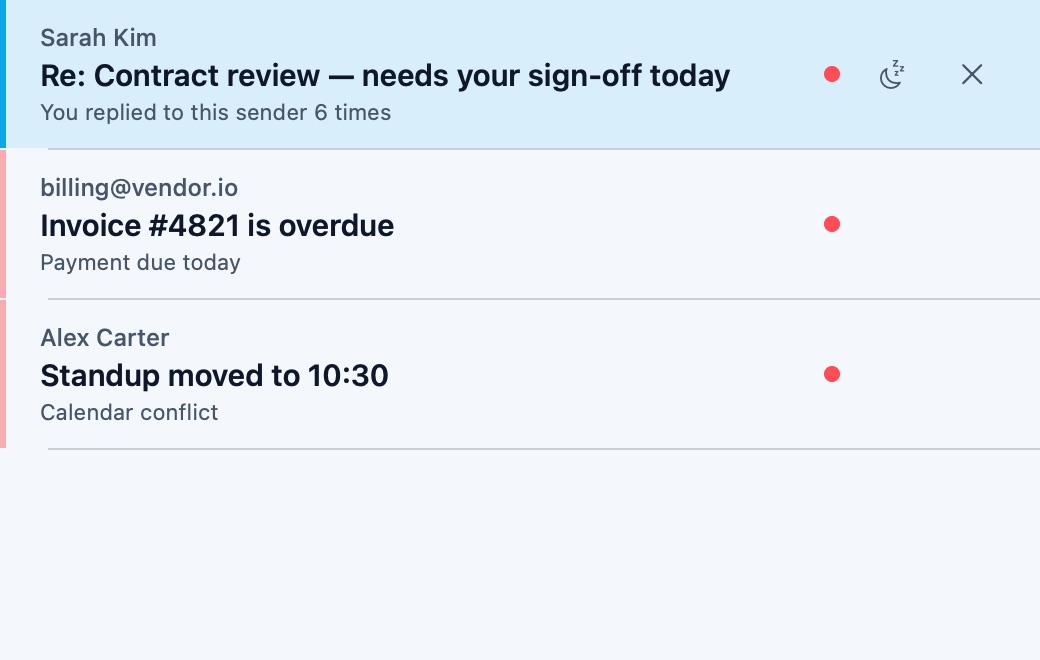
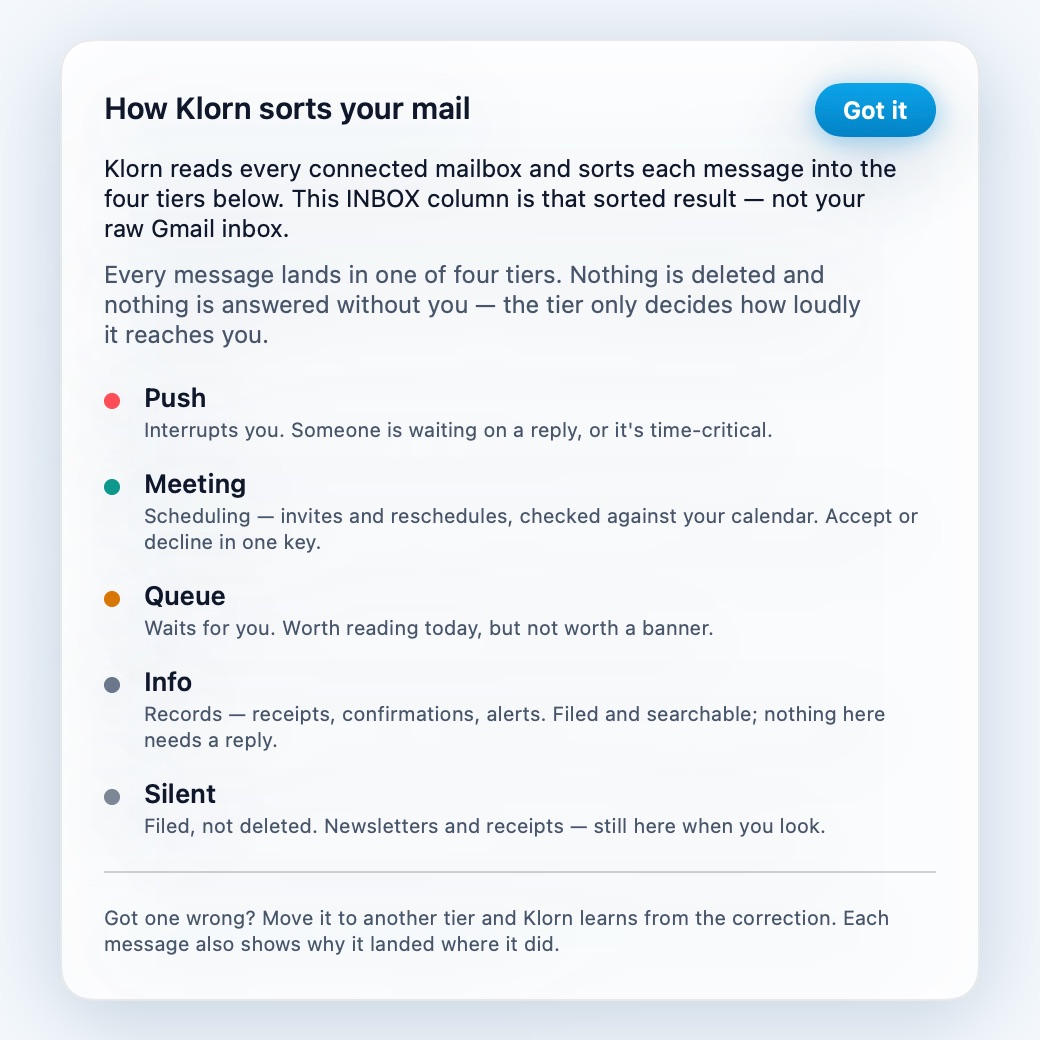
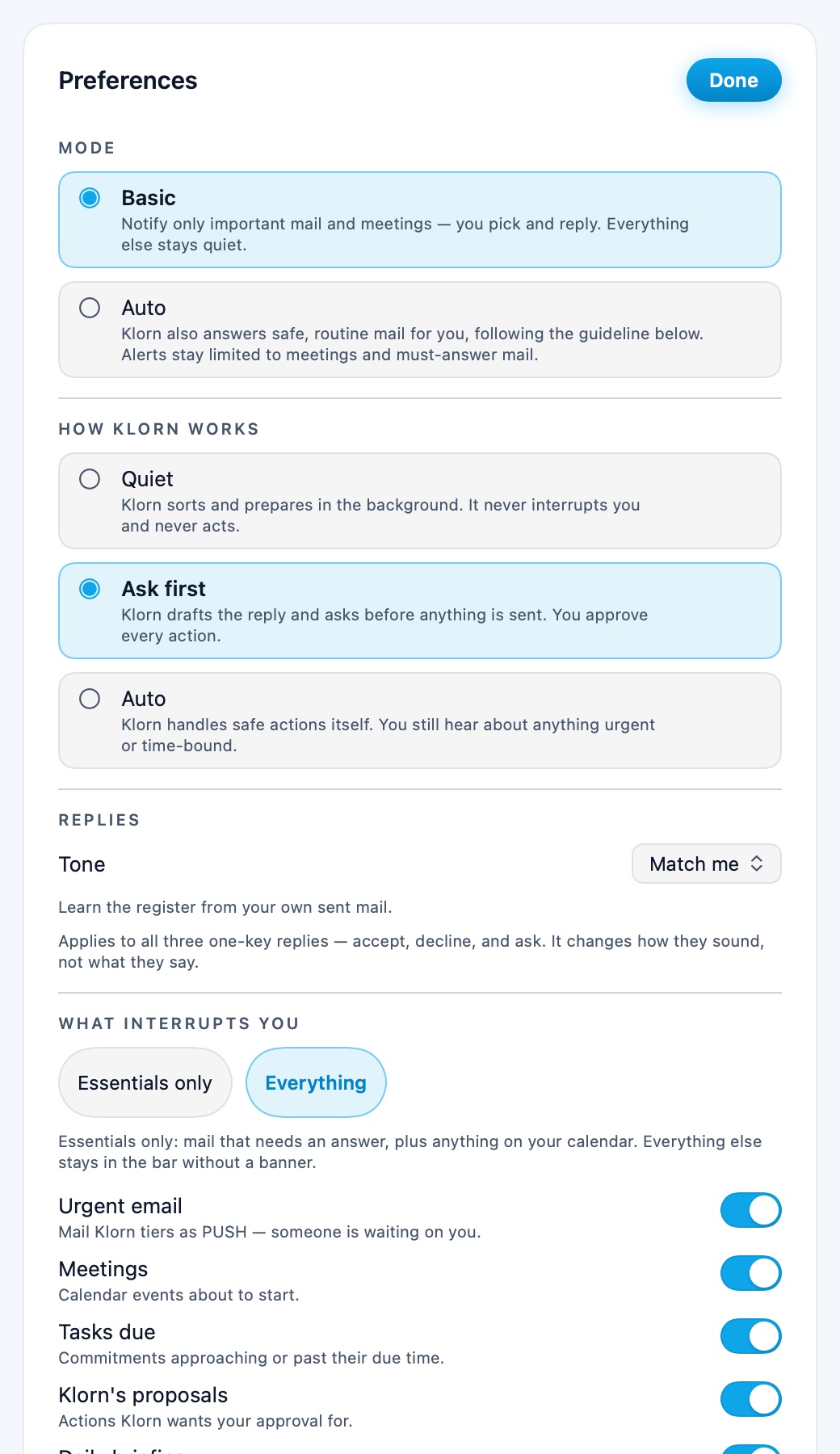
Each shot is produced by KlornMac --render-previews, which draws the
shipping SwiftUI views straight to disk. If a screen changes, the picture changes with it —
there is no separate marketing asset to fall out of date.
Read the app source →
Klorn is not something you open. It runs against your inbox all day and asks for you exactly once — when a message genuinely cannot be answered without you.
Overnight mail is in its lane before you sit down, each one carrying the reason it landed there. In the labelled set: fifty-three messages, four that interrupted you.
Klorn stays a single native line at the top of the screen. Queue, Info and Silent never interrupt — only a real Push, or a Meeting that still needs a time, and you set what counts.
Accept, decline or ask — one key each, in your tone and the sender's language. Nothing sends itself; every send mints a receipt.
These are choices, not features — each one costs Klorn something. Set against the four products you are actually deciding between, by name, with the receipt for every claim on its own page.
Klorn does — one classification per message into five lanes. Sending, deleting and forwarding still wait for you, and each one mints a receipt.
Fyxer and Superhuman make the mail you already opened faster to get through. The decision about what was worth opening stays yours, on every message, all day.
The reason is on every row. Move the row and the correction becomes training signal — two matching corrections make that sender deterministic.
Fyxer does not surface it. SaneBox leaves you to infer it from the folder the mail landed in. Neither decision can be audited after the fact.
Numbers that re-run — every eval set ships in the repo (pnpm eval:judge, pnpm eval:real). When one stopped reproducing, we took it off this page.
“AI-powered.” No published evaluation set, no cold-versus-warm split, and nothing you can run yourself to check the number against.
Unmodified AGPL-3.0. No additional terms, no commercial-use restriction, no 5-employee clause. Self-host it against your own key, or fork it and leave.
Inbox Zero appends ADDITIONAL TERMS to its AGPL — commercial monetization restricted, organisations of 5+ must obtain a licence. GitHub resolves that file as NOASSERTION. The other three are closed source.
Prices and product facts as published by each vendor, checked 2026-08-23. No head-to-head accuracy test has been run against any of them, and this page does not pretend otherwise. Something here wrong? Tell us and we will fix it.
Every release is scored against a hand-labelled set of real emails before it ships. The set is committed, the runner is pnpm eval:real, and the number only moves when the set does — which is more than any of the four products on this page publishes.
A change that drops urgent recall below the floor fails the build.
When Klorn files mail as noise, it almost never buries a real signal.
Every send, delete and forward waits for you and logs a receipt pinned to a hash of what went out.
The hand-labelled real-mail set is being re-labelled: it predates the Meeting and Info lanes, so it cannot score them, and we no longer quote a headline accuracy from it. Silent precision above is measured on that set and is unaffected. The committed synthetic gate set runs on every judge change, with its floors enforced in CI. Methodology and eval set →
An email agent sees everything you receive, so "trust us" is not an answer. You can own the server that reads your mail — self-host the whole stack against your own model key, or a local model, and message text never leaves your machine. The classifier, the prompts and the eval set are all in the repo.
And check the licence, not the word. Klorn is the unmodified GNU AGPL v3: no commercial-use restriction, no employee-count clause, nothing appended. The nearest open-source alternative adds both.
Sorting is free forever, and free here means a tier rather than a trial — the lanes, the reason on every row and the correction loop cost nothing. You pay only once Klorn drafts and sends on your say-so, which is the part with a per-message bill behind it.
No card, no expiry. Klorn caps its own spend per day and stops rather than overspend, so a runaway loop costs you nothing — that cap is what lets sorting stay free instead of becoming a trial.
7-day Pro trial, then $8.99/mo on the web — $9.99 in the iOS and Android apps, where the store takes its cut. Cancel anytime.
Each vendor's own published monthly price, checked 2026-08-23: Fyxer $30 · Superhuman $30 · Inbox Zero $20 · SaneBox $3.49–16.99. We have run no head-to-head test against any of them and this page does not pretend otherwise — the comparisons state exactly what is measured and what is not.
Klorn reads your mail, so what it connects to is the first thing worth knowing — including what it does not connect to yet.
Not supported: IMAP hosts other than Naver. Signing in to Klorn is Google-only, and there is no native mobile app — mobile runs in the browser today. On Windows the desktop app is an unsigned beta (SmartScreen warns once); on Linux, Klorn runs in the browser. Self-hosting works against your own database and model keys.
Coming soon: Outlook & Microsoft 365 and iCloud Mail — already built, staged for rollout after security review. Sign in with Apple and Naver is planned on the web, the Mac app and mobile alike, so one Klorn account covers every device, and native mobile apps are on the way. None of it has shipped; this page is where it lands when it does.
No. Send, delete and forward always wait for an explicit approval and each one writes a receipt pinning a hash of exactly what went out.
To the classifier and back. Your OAuth tokens are encrypted at rest, and because the whole thing is AGPLv3 you can read the code that touches them — or run it yourself.
Move it. Every message shows why it landed where it did, and the correction is what the classifier learns from — that is the difference between a cold start and a classifier that already knows your senders.
Shipped, as an unsigned beta — SmartScreen warns once until the app is code-signed. The web app remains available in any browser with the same account and tiers.
No. Klorn caps its own spend per day, and stops rather than overspending — a runaway loop costs you nothing. That cap is why sorting stays free.
Reading your mail needs Google's restricted scopes, and those need a security review before an app is marked verified. Until that clears you see an unverified-app screen once, and the beta is limited to the first 100 accounts.
Sorting is free and stays free. Signing in is Google OAuth, straight through — no invite, no waitlist. The only limit is the first 100 accounts.
Already approved? Log in · macOS 14+ universal · Windows in the browser · AGPLv3